Sheet-metal flat pattern in DXF to order
Short answer: the flat pattern of a sheet-metal part is built from the 3D model of the bent part: blank length = sum of the straight segments + an allowance for each bend. The allowance depends on the thickness, the inside radius and the factor K — so the most accurate way is to use the shop's bend table. If you only have a paper drawing, you can order the flat pattern: a DXF with the cutting contour, bend lines and bend table.
Four ways to get a flat pattern
| Yourself in CAD | Give it to the shop | Freelancer | RODEx from the drawing | |
|---|---|---|---|---|
| What we need from you | CAD with a sheet-metal module and a designer's time | 3D model or drawing — the shop builds it itself | Drawing and correspondence | Drawing: PDF, scan, DXF or DWG |
| K factor | Whatever you set | Your own, for your tooling — the most accurate | Ask which table they use | Reference by r/s or your shop's bend table |
| Turnaround | Your time | As part of a cutting order | 1–3 days | Usually 10–30 minutes |
| Price | Your time and a CAD licence | As agreed with the shop | about $6–18 basic order on Kwork | $8, shown before payment |
| Verification | On you | On the shop | As the freelancer does it | Length by the allowance formula, model checked against the drawing, flat pattern bent back |
| When to choose | You have CAD and the part changes often | The shop takes the 3D and you trust its K | You need a designer for a long project | Only a drawing, needed fast |
Example: a cover from 2 mm sheet — from drawing to DXF
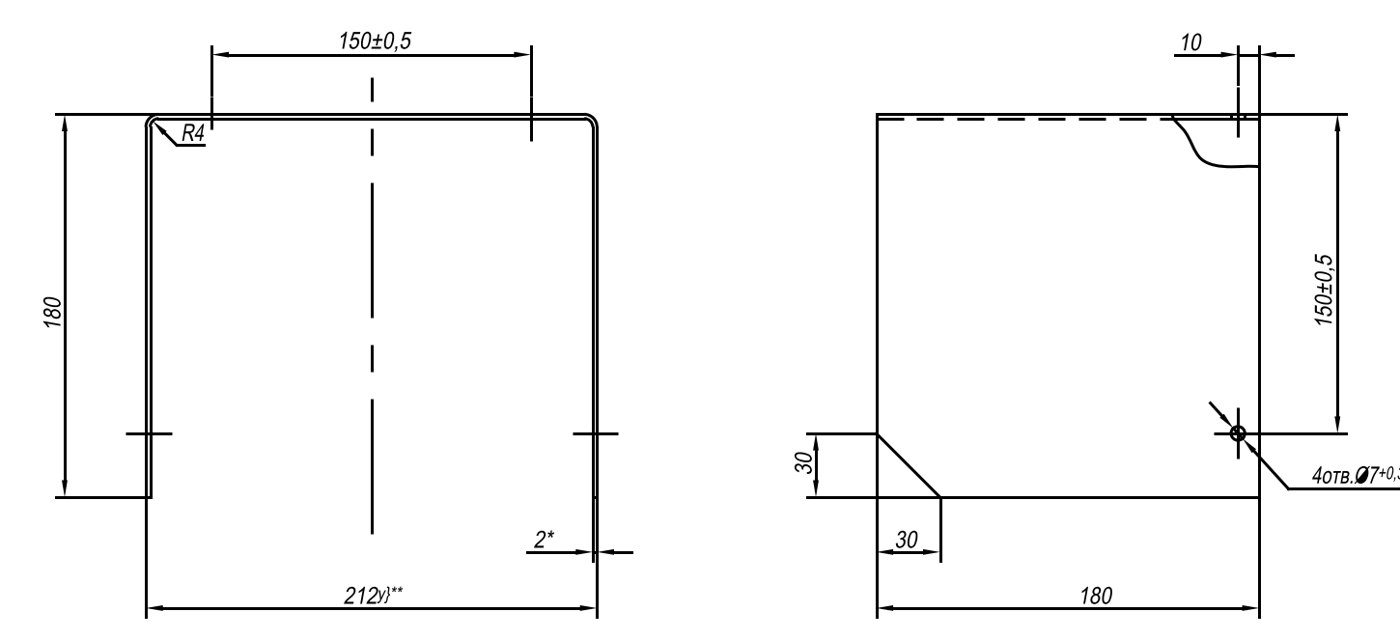
U-shaped cover from 2 mm sheet: 212 × 180 × 180 mm, R4 bends, 4 holes Ø7.
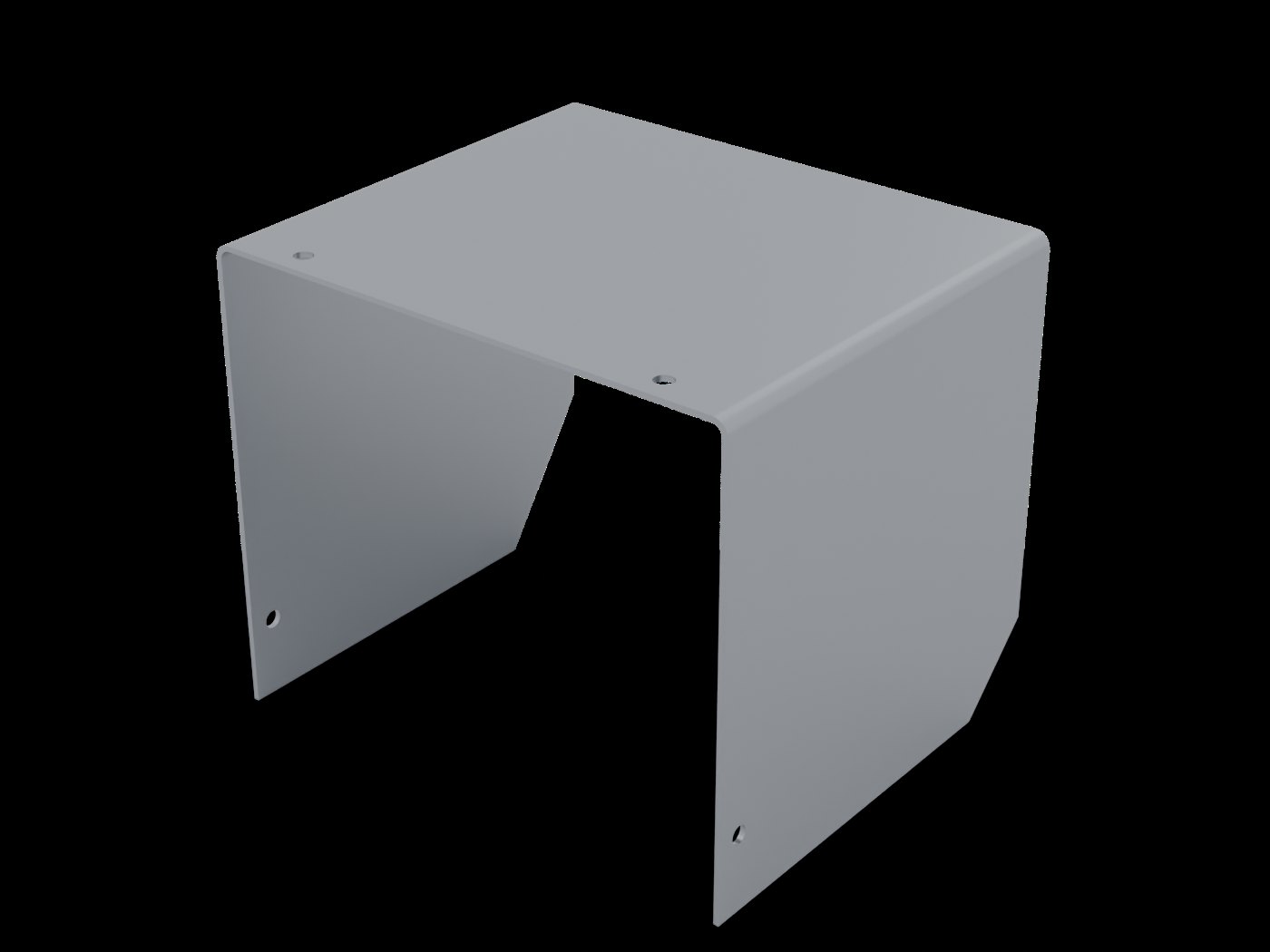
All 11 dimensions of the drawing were measured on the model — 11 of 11 match.
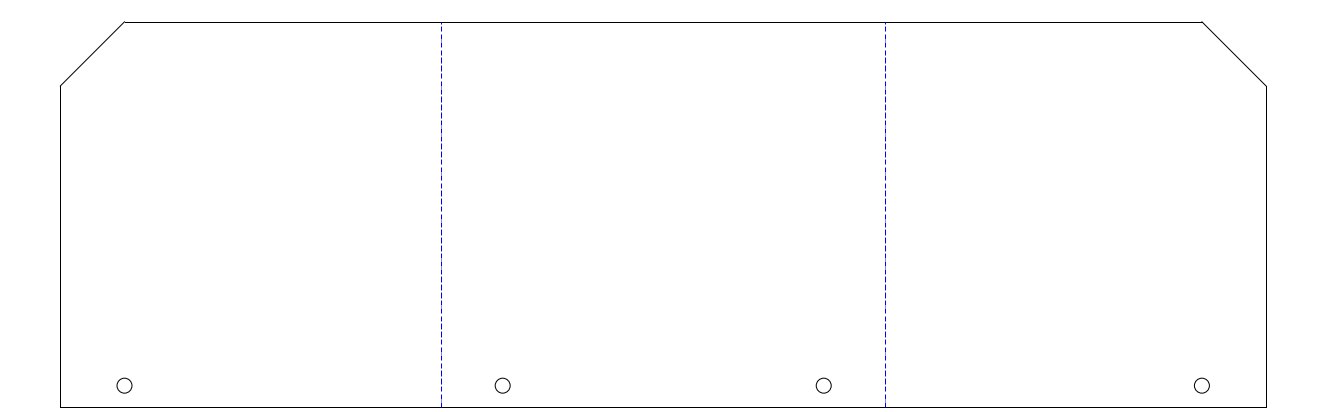
Length 563.4 mm (by the allowance formula — 563.39). Two 90° bends, K = 0.45, bend lines on a separate layer.
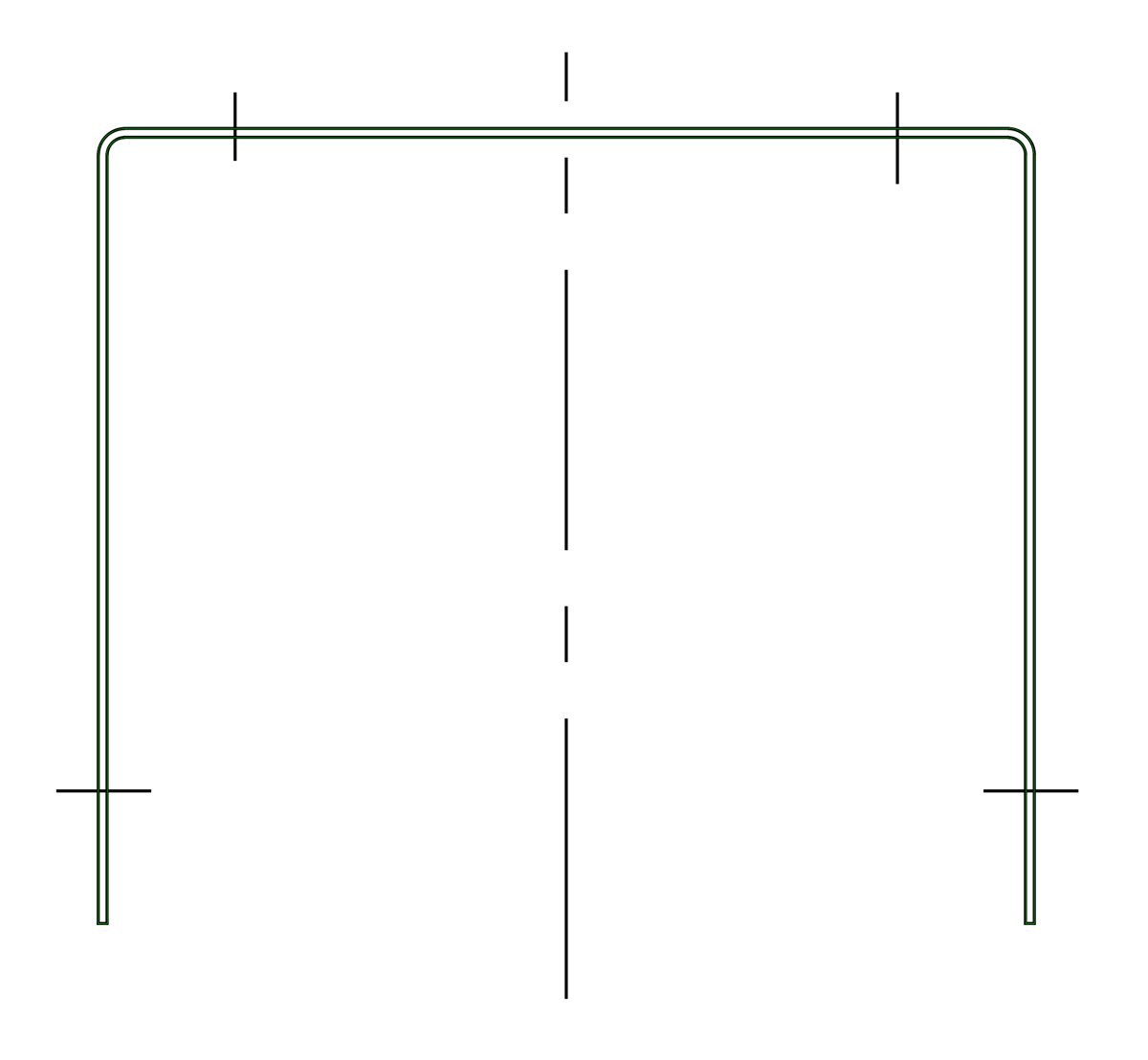
The model contour (green) is laid over the main view of the drawing. We bend the flat pattern back and compare it with the model.
Without the bend allowance the blank would come out 8.6 mm longer: 4.3 mm on each of the two bends. Step-by-step calculation — in the article “Which file you need for laser cutting”, you can calculate your own variant in the flat pattern calculator.
What a flat pattern to order includes
Closed contour and holes — on a separate layer. There is also a cut-only file.
On its own layer, bend direction in the layer name (down/up).
Angle, inside radius, K and allowance of each bend — on the notes layer.
The whole bent part — for the assembly and for the shop.
AutoCAD 2000, millimetres, scale 1:1 — any machine software opens it.
For example: a hole too close to a bend, no relief in a corner — as a question before cutting.
Where mistakes happen most often
Radius mixed up: the drawing gives the inside one, but the outside one went into the calculation — on every 90° bend the flat pattern gets longer by π/2 × s, for 2 mm sheet that is 3.1 mm.
Flange sizes on the drawing are inside dimensions, but they were added up as outside ones — an error of 2 thicknesses per bend.
K taken from the internet, while the shop has its own tooling — tenths of a millimetre on every bend.
No relief where two bends meet — the metal tears in the corner.
Tick what you already have
Flat pattern DXF in 10–30 minutes
Questions and answers
How much does a flat pattern from a drawing cost?
With us — $8 per part, the price is shown before payment. On Kwork a basic flat-pattern order for a sheet-metal part is about $6–18 with a 1–3 day turnaround (October 2026).
Which K factor do you use?
If you send the shop's bend table — we use it. If not — the reference value by the radius-to-thickness ratio: for r/s = 2 it is 0.45. K and the allowance of each bend are written in the file, so the shop can compare with its own.
Is a paper drawing enough, or is a 3D model needed?
A drawing with the sheet thickness and bend radii is enough: we build the 3D model ourselves and deliver it together with the flat pattern.
What format will the flat pattern be in?
DXF version AutoCAD 2000, millimetres, 1:1: cutting contour, bend lines and bend table on separate layers, plus a separate file with the contour only. The 3D model is STEP.
What don't you do?
Hems, louvres, embosses, rolling and cones. We don't add corner relief cuts on our own — we suggest them as a question.